 Resources
Everything you need to get the most
out of what you own.
Practical guides, free calculators and product documentation, written by the people who build the products. No account, no email, and nothing you type here leaves your device.
Every calculator runs in your browser. We never see your numbers.
Real questions. Real numbers, real moves.
Short, practical answers to the questions people bring to us most. Each guide ends with the move you can make today, on your own numbers.
 Money
MoneyAvalanche vs. snowball: which debt do you pay first?
TL;DR Avalanche (highest interest rate first) costs the least in interest. Snowball (smallest balance first) gives you the earliest win. Pick the one you will actually follow.
Read the guide
Both methods work the same way: pay the minimum on every debt, then put every extra dollar on one target until it is gone, then roll that payment onto the next target. The only difference is the order.
Avalanche targets the highest APR first. Mathematically it is always the cheapest path: every dollar goes where it stops the most interest.
Snowball targets the smallest balance first. It usually costs a little more in interest, but the first debt disappears sooner, and for many people that early win is what keeps the plan alive for two or three years.
The honest rule: if the interest gap between your debts is small, choose snowball. If one debt has a much higher rate than the others, choose avalanche and put that rate on a sticky note.
Run both on your numbers with the Debt payoff toolMoneyYour DTI ratio, explained the way a lender reads it
TL;DR DTI is your monthly debt payments divided by your gross monthly income. Lenders look at two versions, and the back-end one is the one that says yes or no.
Read the guide
Front-end DTI counts only housing: rent or mortgage, taxes, insurance, HOA. Back-end DTI adds every other monthly debt payment: car, student loans, credit-card minimums, personal loans.
As a rule of thumb used across the US market, a back-end ratio under 36% reads as comfortable, 36% to 43% reads as tight, and above 43% most lenders will hesitate or ask for compensating factors. Each lender and program sets its own thresholds, so treat these as reading glasses, not as a law.
Two things move the ratio fast: paying off a small loan that carries a large monthly payment, and adding documented income. Lowering a balance without closing the payment changes almost nothing.
Calculate your DTI now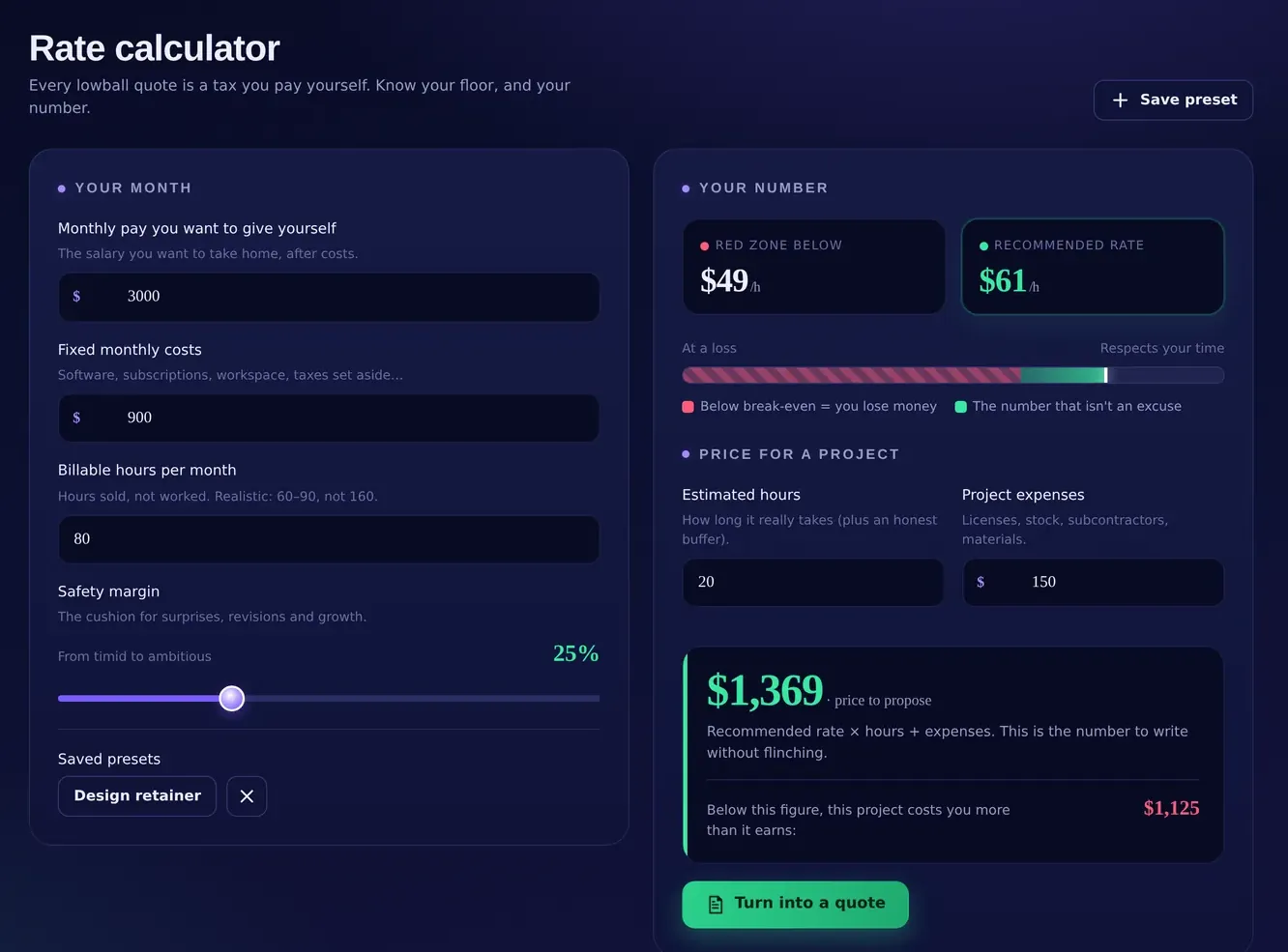 Freelance
How much should I charge? Find your rate floor first
TL;DR Your rate floor is the hourly rate below which you lose money. Start from what you need to take home, add costs and taxes, divide by the hours you can really bill.
Read the guide
Most freelancers price by looking at other freelancers. The floor comes from your own numbers instead: (take-home you need + yearly business costs) ÷ (1 − tax set-aside) ÷ (billable hours per week × weeks you actually work).
Two figures are always underestimated: billable hours (admin, sales and unpaid revisions take 30% to 50% of a week) and weeks worked (holidays, sick days and dry spells take four to eight weeks a year).
The floor is not the price. It is the line you never go under. Your price sits above it, based on the value of the result for the client.
Calculate your rate floorPlanningThe week after a layoff: a 90-day plan
TL;DR The first week is for runway and paperwork, not for job applications. Know your number, secure the essentials, then run a 90-day plan with weekly checkpoints.
Read the guide
Days 1–7. Count your liquid money and your monthly essentials, and turn them into one number: months of runway. File for what you are entitled to, sort health coverage, pause or cancel what is not essential.
Days 8–30. Decide the direction (same role, new role, freelance, business) and write the plan for it with measurable objectives and weekly tasks. Vague goals are where these weeks disappear.
Days 31–90. Execute in weekly sprints. Every Friday: what moved, what did not, what changes next week. If runway drops under three months, switch to a bridge-income plan without shame.
Know your months of runway with HelpFinanceFreelanceHow to set aside taxes as a freelancer, without the year-end panic
TL;DR Move a fixed share of every payment you receive into a separate account the day it lands. The share depends on your country and bracket; the habit is what saves you.
Read the guide
The panic comes from one thing: taxes are calculated yearly but income arrives in pieces. So treat every invoice as already taxed. When a client pays, move your set-aside share to a separate account before you touch the rest.
What share? Ask your accountant for the percentage that fits your bracket and country, then round it up a little. Many freelancers in the US start between 25% and 30% and adjust after the first quarter; self-employed people in the US also pay estimated taxes quarterly, so put those four dates in the calendar today.
Track it per payment, not per month: the discipline lives in the individual movement.
Track every movement and due date with HelpFreelanceMoney50/30/20 with real numbers
TL;DR 50% of take-home to needs, 30% to wants, 20% to savings and debt payoff. It is a starting frame, not a verdict: the useful part is finding out where you really are.
Read the guide
Take last month’s take-home pay and split every expense into three buckets. Needs: rent or mortgage, utilities, groceries, insurance, minimum debt payments, transport to work. Wants: everything you could stop tomorrow without consequences. Savings: transfers to savings, investments and extra debt payments.
Then compare with 50/30/20. Most people discover their needs sit at 60% to 70%, which explains why saving feels impossible: the 20% is being eaten by the first bucket, not by the second.
The fix is rarely cutting coffee. It is one structural move on the needs bucket: housing, car or a debt refinanced.
See how long your savings goal takesThe guides are general information for organizing your finances and your work. They are not financial, tax or legal advice: thresholds and rules vary by country, lender and situation, so check your own case with a professional.
Instant results. Nothing leaves your device.
Four calculators you can use right now, without an account. They run entirely in your browser: close the page and the numbers are gone, unless you save them in a HelpCore product.
Freelance rate calculator
The hourly rate below which you lose money, from your own numbers.
Debt payoff: avalanche vs. snowball
Up to three debts. See months to freedom and total interest for both methods.
DTI calculator
Front-end and back-end debt-to-income ratios, read the way a lender reads them.
Savings goal
How long a goal takes with monthly contributions, with interest compounded monthly.
Results are estimates based only on what you type, with simplified assumptions (fixed rates, monthly compounding, minimum payments held constant). They are informational tools, not financial advice.
Straight answers. Exact labels.
How the products install, where your data lives, how licenses and credits work. Every label below is the one you will find inside the app.
Install on iPhone or iPad
Open the app in Safari, tap Share, then Add to Home Screen. The app opens full-screen, works offline and starts instantly. Inside the app, Settings › Install App shows the same steps.
Install on Android, Mac or Windows
Open the app in Chrome or Edge and use the install icon in the address bar (or the browser menu › Install app). On Android the same option appears in the browser menu. From then on the app has its own icon and window.
Where does my data live?
Only on the device you are using, in the browser's own database (IndexedDB). Every keystroke is saved automatically: there is no save button and no cloud copy. On our side we keep only your account (name, email, license) and, if you buy on helpcore.ai, your billing details and orders; your movements, clients, loans and plans are not.
Backups and moving to a new device
In Settings › Backup & data, Export backup downloads one file with everything. On the new device, install the app, sign in and use Import backup. Importing replaces all current data with the backup, so the app asks you to confirm.
A backup is also your protection against a lost or reset device: export one regularly and keep it where you keep important files.
Delete all data
Settings › Delete all data permanently deletes every record on that device. You type DELETE to confirm. Your working data is never on our servers. To close your account as well, use Account › Privacy on helpcore.ai or write to support.
Licenses, trials and refunds
How does the free trial work?
HelpFinance and HelpFreelance offer a 7-day trial with full access and no credit card. Nothing to cancel: if you do nothing, nothing is charged.
What do I get with a license?
A lifetime license for the version you buy, with 90 days of updates and in-app support included. After that the app keeps working as it is; the optional Pro plan (yearly or monthly) renews updates and support if you want them.
What is the refund policy?
Every license comes with a 14-day money-back guarantee: one email, full refund, no questions asked. Refund requests go through the assistance channel inside the app or the Support page.
Can I use one license on several devices?
Yes: sign in on each device. Remember that data is local to each device, so use Export backup and Import backup to carry your data across.
AI features and credits
What is sent to the AI, exactly?
Only the anonymous figures listed in that panel, never your identity, your accounts or your documents. For the loan Deep Research: country or region, loan type, amount and duration. Stored analyses stay readable offline for free.
How do credits work?
1 credit = 1 AI analysis or generation (input + output). The loan Deep Research uses 3, because it performs live web research across lenders. Credits are sold in one-time packages, never expire and require no subscription.
What if a generation fails?
If the engine does not answer in time or the analysis fails, the credit is refunded automatically. If the engine is busy, your credits are untouched and you can try again in a moment.
Does the app work offline?
Yes. Everything except the AI features and the checkout works without a connection, because the app and your data are on your device. Updates are picked up the next time you open the app online.
Module map, with the labels you will find in the app
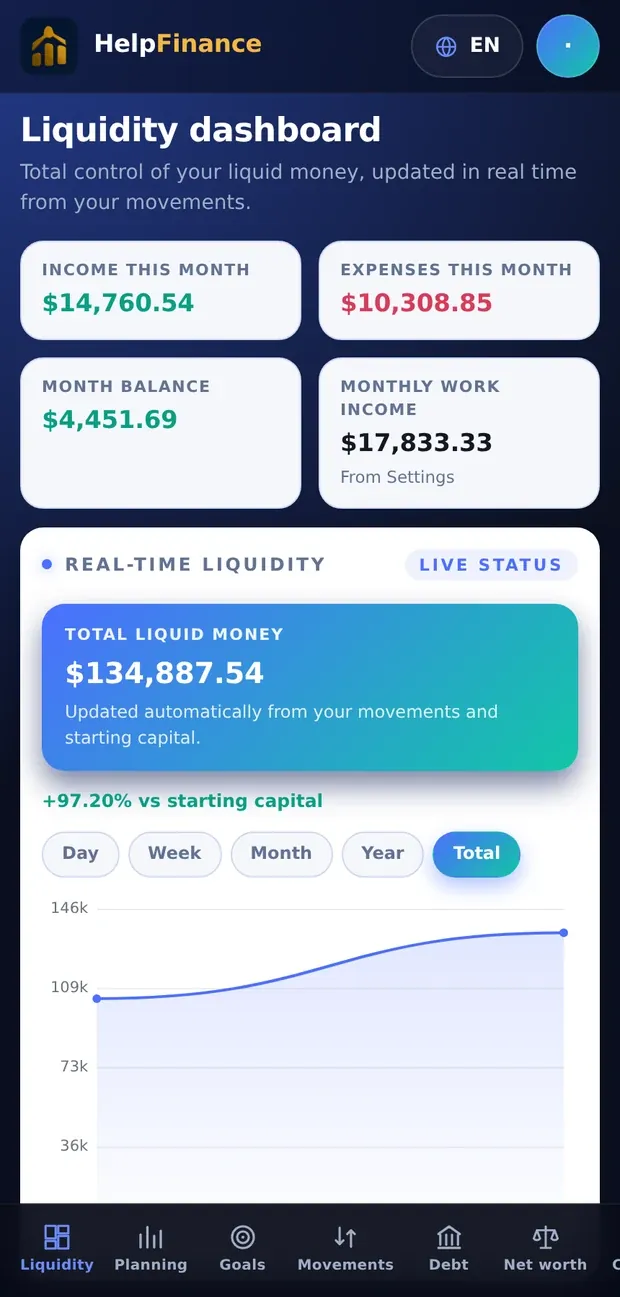
 HelpFinanceLiquidity (included)
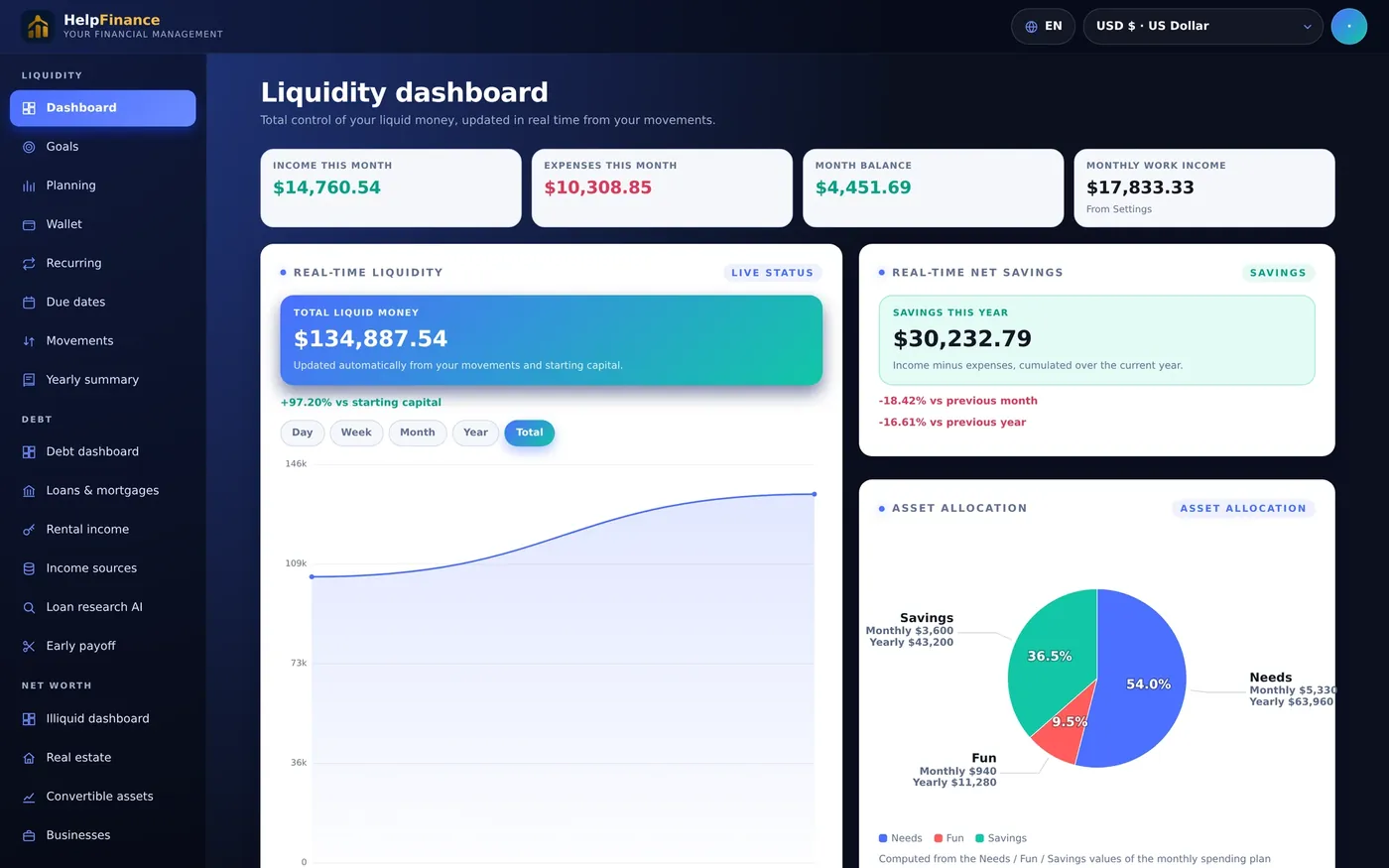
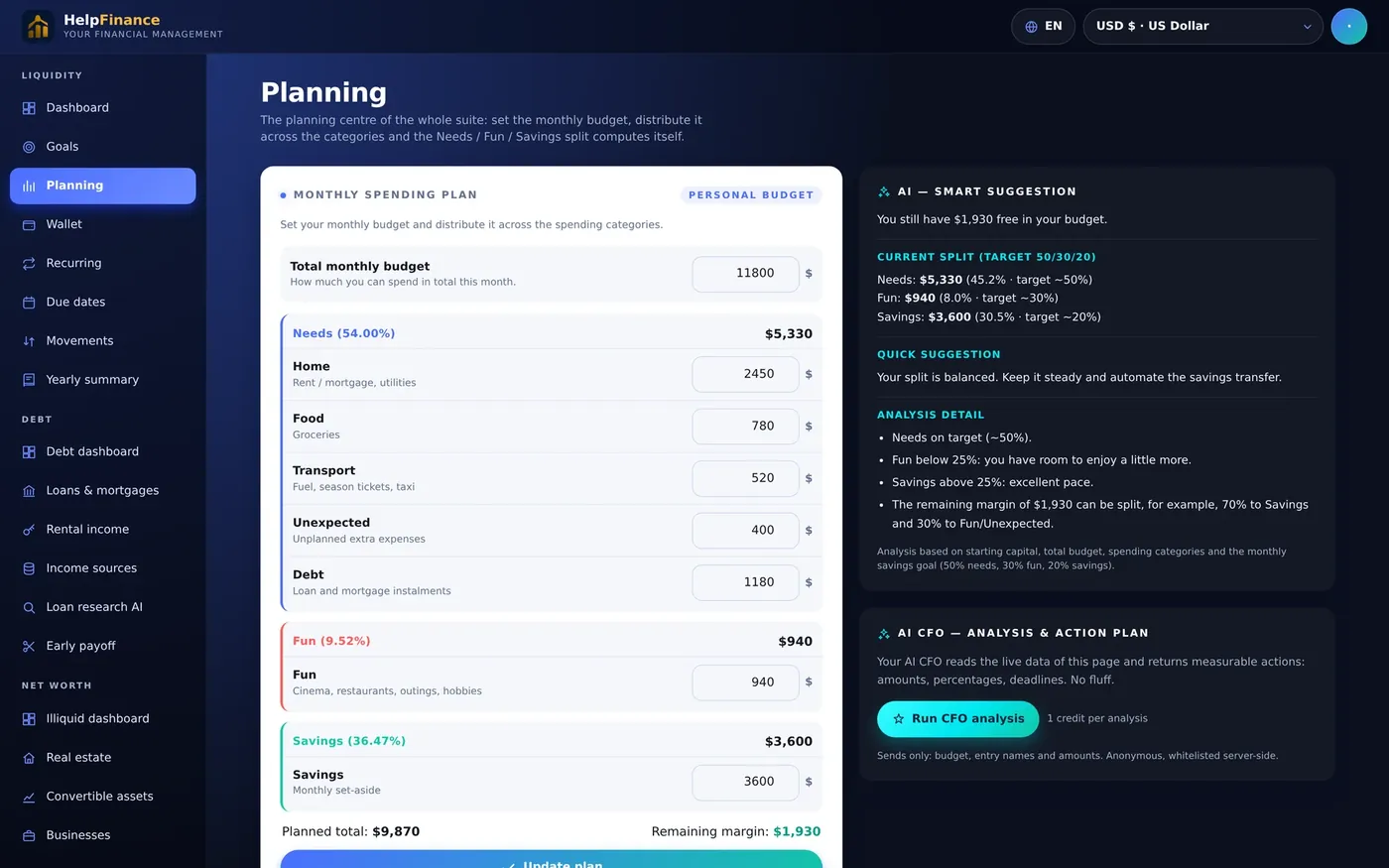
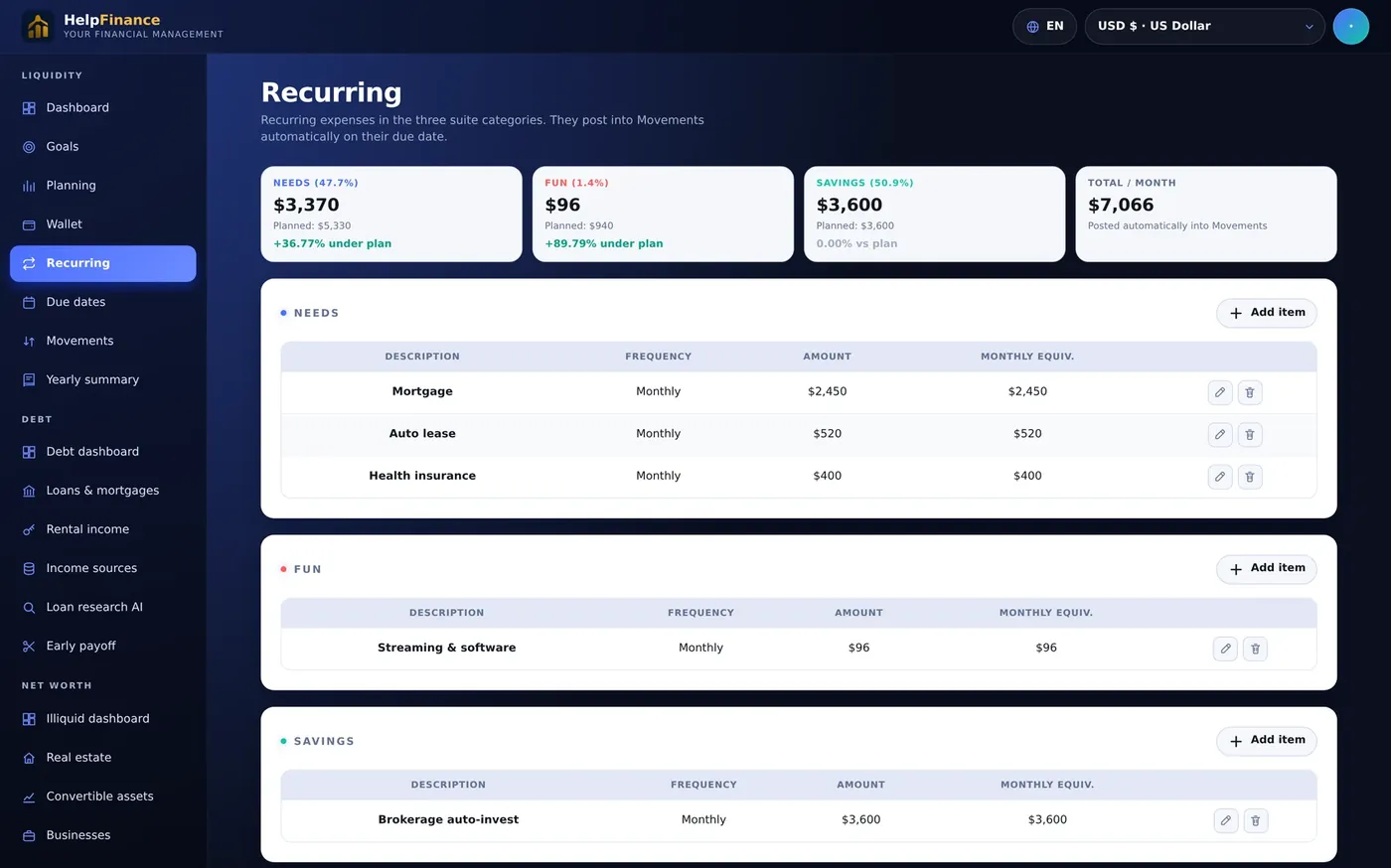
Dashboard · Goals · Planning · Wallet · Recurring · Due dates · Movements · Yearly summary
Debt (in-app purchase)Debt dashboard · Loans & mortgages · Rental income · Income sources · Loan research AI · Early payoff
Net worth (in-app purchase)Illiquid dashboard · Real estate · Convertible assets · Businesses · Convertible goods · Net worth
 HelpFreelanceCore
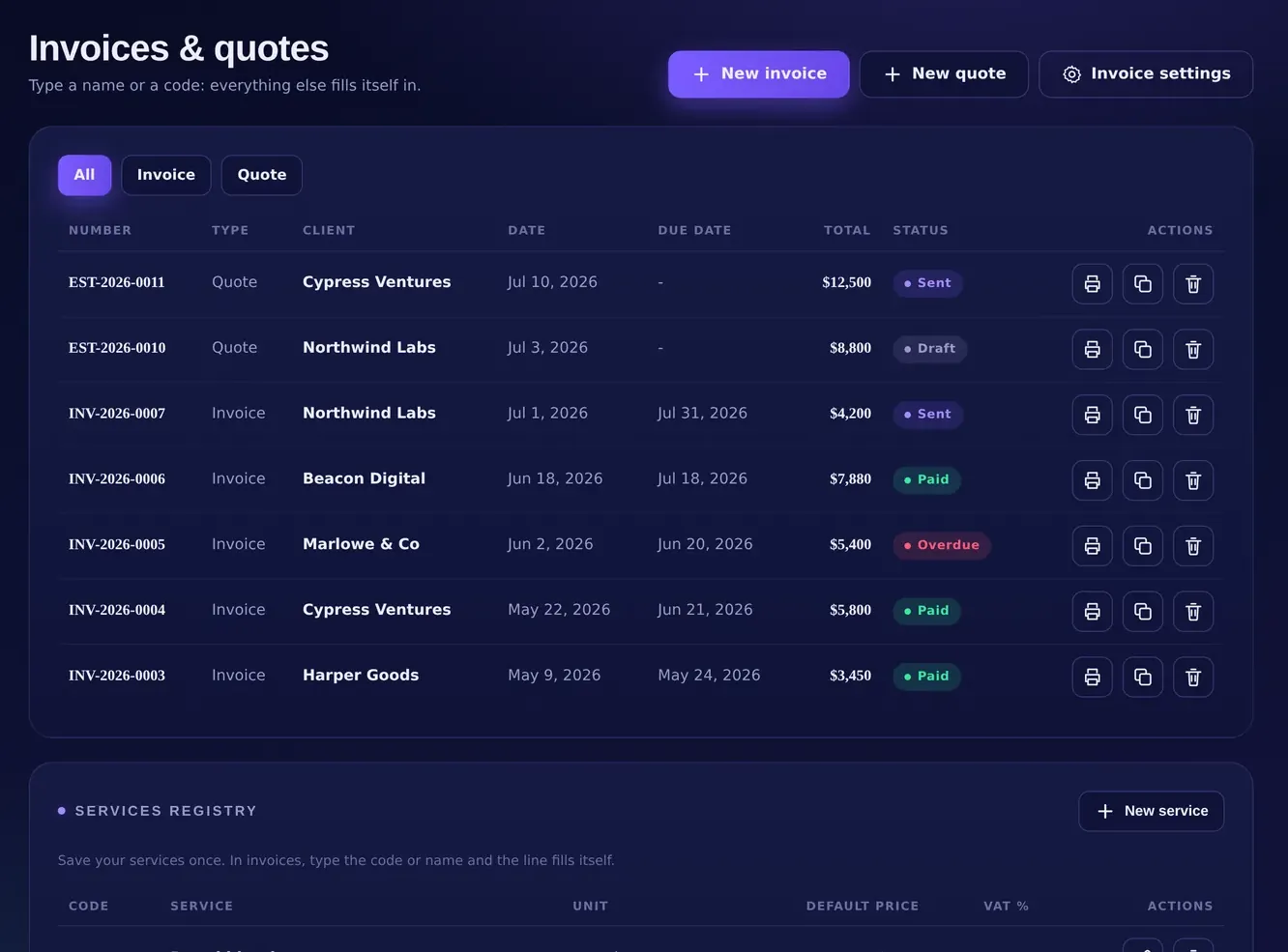
Overview · Movements · Clients · Invoices & quotes · Rate calculator · Deadlines · Recurring automations · Sales receipts register · Settings & tax profile
Add-on apps (in-app purchase)HelpClientFlow AI · HelpRetainer
SettingsInstall App · Backup & data · Export backup · Import backup
Labels are taken from the products' current interface and may change with new versions. Screens on this page use illustrative sample data.
In-app purchases, in full. Everything you can buy, before you buy.
Every product is complete for its own job the day you get it. What follows is the full list of optional purchases inside each app, with list prices, so there are no surprises later. Prices in US dollars; nothing renews unless it says so.
HelpFinanceLicense: $199.99 one-time · lifetime license to the version you buy
- Included with the license
- 90 days of HelpFinance Pro (updates, assistance, and the Debt and Net Worth modules unlocked) and 10 welcome AI credits, granted once at registration.
- Debt module
- $199.99 one-time, lifetime. Unlocks Debt dashboard, Loans & mortgages, Rental income, Income sources, Loan research AI and Early payoff. Includes 10 AI credits.
- Net Worth module
- $199.99 one-time, lifetime. Unlocks Illiquid dashboard, Real estate, Convertible assets, Businesses, Convertible goods and Net worth. Includes 10 AI credits.
- AI credit packs
- One-time, never expire. 10 credits $7.99 · 25 $16.99 · 50 $29.99 · 100 $49.99 · 200 $89.99 · 500 $199.99. One balance for every AI feature; 1 credit = 1 analysis, Deep Research = 3.
- HelpFinance Pro (optional)
- Updates, assistance and both modules after the included 90 days: $99.99 a year or $9.99 a month. Renews automatically until you cancel from the billing portal. Not required to keep using the app.
HelpFreelanceLicense: $199.99 one-time · lifetime license to the version you buy
- Included with the license
- Overview, Movements, Clients, Invoices & quotes, Rate calculator, Deadlines, Recurring automations, Sales receipts register, Settings & tax profile, and 90 days of Suite Pro (updates, assistance, HelpClientFlow AI and HelpRetainer unlocked), granted once at registration.
- HelpClientFlow AI
- $199.99 one-time, lifetime. Add-on app inside the suite. Includes 10 AI credits.
- HelpRetainer
- $199.99 one-time, lifetime. Add-on app inside the suite. Includes 10 AI credits.
- AI credit packs
- One-time, never expire. 10 credits $7.99 · 25 $16.99 · 50 $29.99 · 100 $49.99 · 200 $89.99 · 500 $199.99. One balance shared across the suite.
- Suite Pro (optional)
- Updates, assistance and both add-on apps after the included 90 days: $99.99 a year or $9.99 a month. Renews automatically until you cancel from the billing portal. Not required to keep using the app.
List prices at the time of writing; launch offers, where shown on a product page, apply at checkout. Every license and module is covered by the 14-day money-back guarantee. Credits are consumed only when an AI generation succeeds: if it fails, the credit is refunded automatically.
Still have a question?
Write to us from inside the app, or from the Support page. You will get an answer from the people who built the product.
Free trials, no credit card. Your data stays on your device.